Conference bridge

The access to my microphone/camera is blocked, what to do?
written by

Arbolus Support

published on

If the access to your camera/microphone is blocked and you get the following message
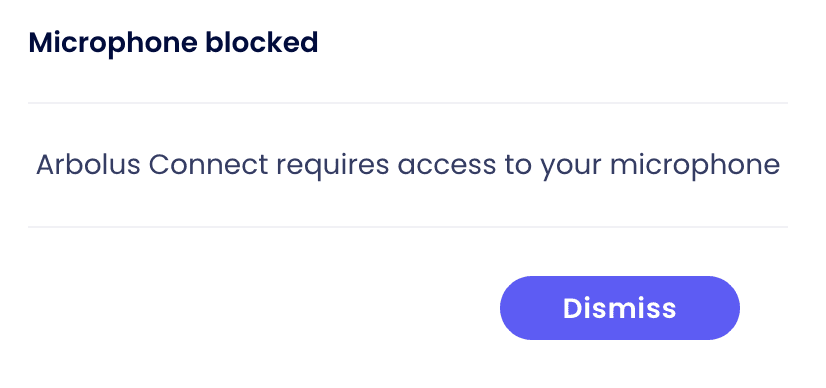
Depending on your browser the procedure might be different. In this article, we cover the following browsers:

  • Google Chrome and Microsoft Edge

  • Safari and Firefox


If you are using Chrome or Microsoft Edge

  • Click on the padlock next to the URL of the meeting

  • Set the Camera and Microphone to "Allow"

  • Close the setting pop-up

  • Reload the page


Unblock Microphone and Camera access on Chrome/Edge


If you are using Safari or Firefox


  • Refresh the tab

  • You should be alerted for Microphone & Camera Access

  • Tap "Allow"


Unblock Microphone and Camera access on Safari/Firefox

More expert resources

Legal and data Privacy

1 MIN

Whistleblowing Policy and Guidelines

Arbolus is committed to maintaining high ethical standards and fostering a culture of transparency and accountability. This Whistleblowing Policy aims to report extreme concerns regarding unethical behaviour, fraud, or any violations of company policies without fear of retaliation. Reporting Procedure: A confidential and secure reporting channel is provided here for all of you to raise concerns anonymously if you feel uncomfortable disclosing your identity. While submitting a report, you can: Select a category that best defines the case. Describe the situation, and upload any supporting files if needed. Save the unique password provided with the confirmation of the submission to follow up on the case. Investigation and Response: Upon receiving a report, the company will promptly investigate and address the concerns raised. Fair Process: Investigations will be conducted impartially and fairly, respecting the rights of all parties involved. These reports go directly to a secure, ticketing-like channel where only designated case managers can review submissions and respond confidentially.

Read more

Legal and data Privacy

2 MIN

How do I erase my Personal Data / my Arbolus Expert account?

You can request the erasure of your Personal Data and your Arbolus Expert account here. Be sure to use the email address associated with your Arbolus Expert account. Alternatively you can request erasure by contacting privacy@arbolus.com. If you wish to enforce your UK GDPR, GDPR, or other data privacy rights, you may email privacy@arbolus.com at any time.

Read more

Legal and data Privacy

1 MIN

How do I opt-out from Arbolus messaging on LinkedIn?

Arbolus conducts outreach via LinkedIn and other platforms in order to offer consultation opportunities to prospective Experts in relation to projects it may be facilitating on behalf of its Clients. When an Arbolus conducts outreach on LinkedIn via its associates, at the first point of contact, Arbolus provides a data privacy notice which includes the ability for the receipt to either express that they are not interested in the specific project, or otherwise to permanently opt-out from all future communication from Arbolus. If you have received any communication from Arbolus and wish to permanently opt-out from future communication, simply reply permanent opt-out, or contact privacy@arbolus.com.

Read more

4.4 TrustScore

200,000+ Experts

Earn and influence with your expertise

4.4 TrustScore

200,000+ Experts

Earn and influence with your expertise

4.4 TrustScore

200,000+ Experts

Earn and influence with your expertise